⚡ Free fan tool · Windows · v1.1

Realistic AI Faces for Football Manager

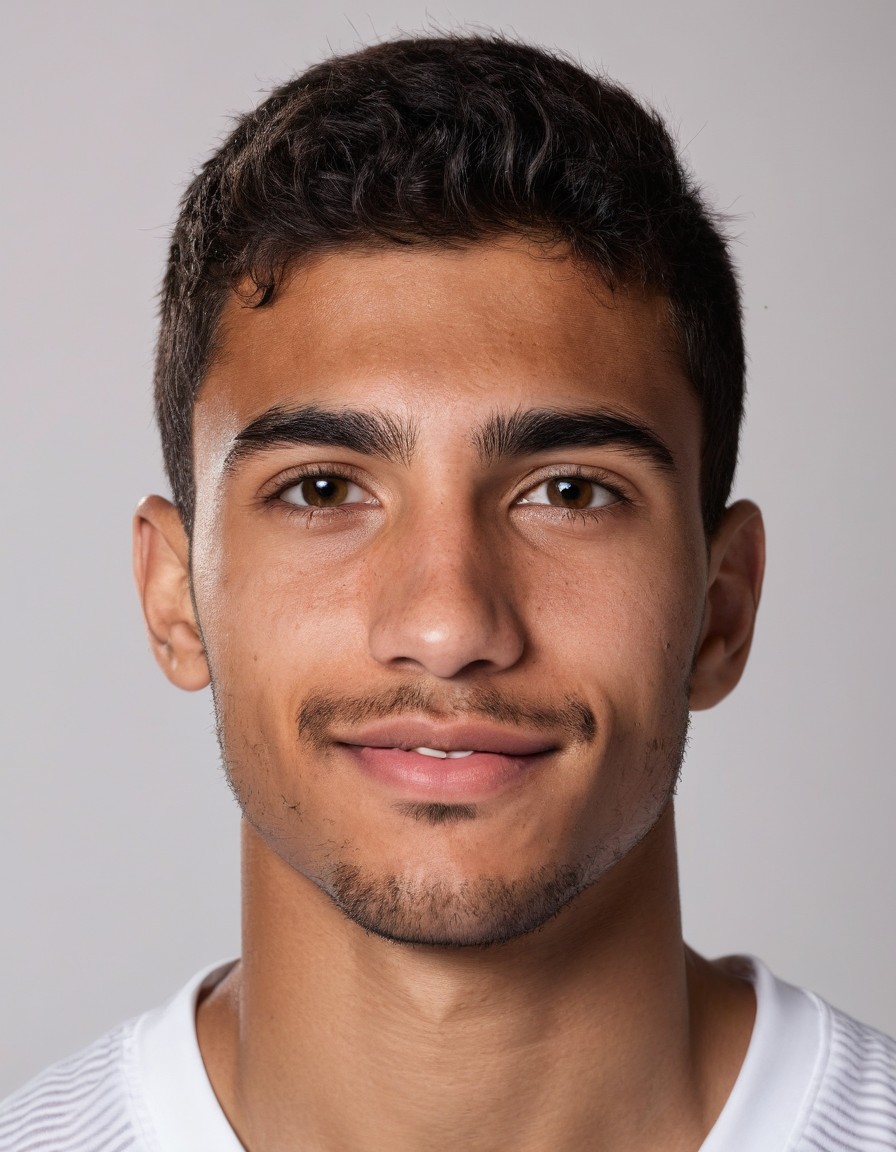
Automatically generate photorealistic, unlimited portraits for your newgen players — or any player without a face — directly in your FM save.

Free · Offline · Unlimited — runs locally on your own GPU

Windows 10 / 11  ·  See System Requirements below for GPU spec

v1.1 Release FMNewgenGenerator.exe ~40 MB → ~9 GB installed Windows 10 / 11 Works with FM24 & FM26 Free — no credits, no limits

See it in action

Every face is generated locally on your GPU, then mapped straight into your Football Manager save via config.xml.


Before
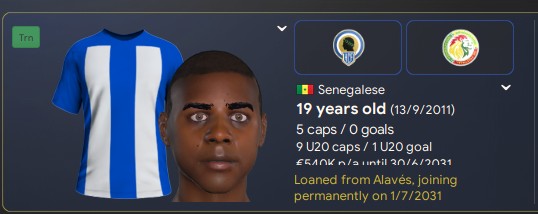
FM player search showing blank face

Players without a face show blank default silhouette portraits in FM.

→

After

Generated face mapped into FM profile

A photorealistic face, aged by milestone, seamlessly bound to the UID.
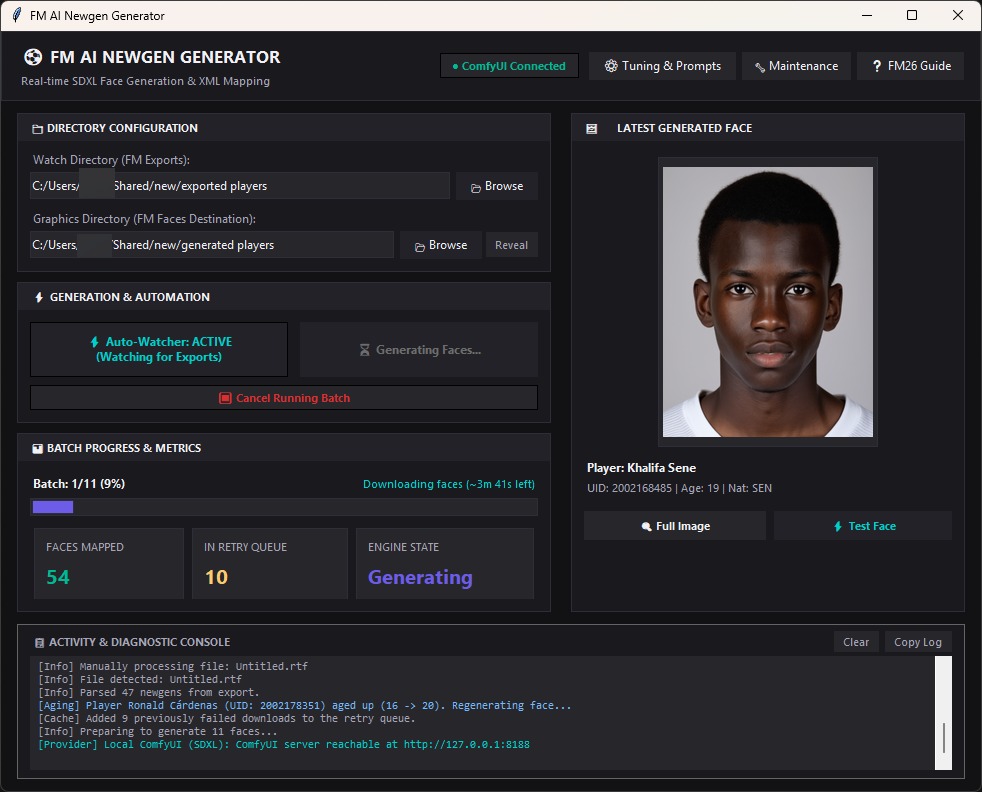
FM AI Newgen Generator desktop application interface generating faces
App Workspace · Real-time batch generation with live SDXL portrait preview, queue progress, and console diagnostics.
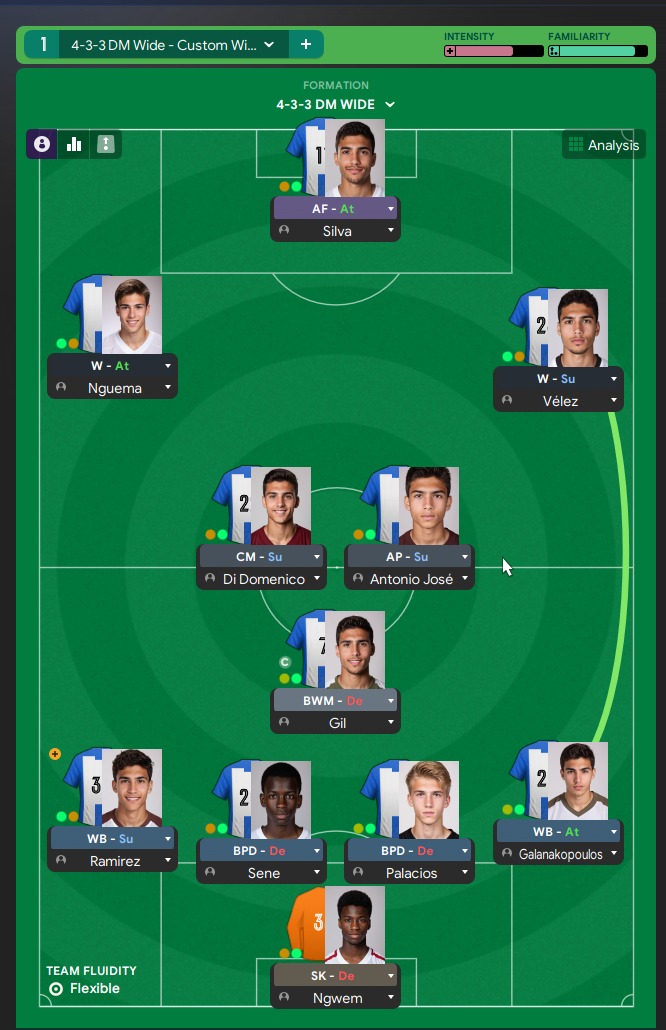
Football Manager squad tactics view with all generated newgen faces mapped
In-Game Tactics View · 100% generated newgen academy lineup mapped seamlessly in Football Manager.

What it does

Everything you need to bring realistic youth academy faces into Football Manager.

🎨 Realistic Newgen Portraits

Generates photorealistic headshots tailored to each player's age, nationality, and ethnicity.

⚡ Automatic Save Integration

Watches your export folder and automatically produces game-ready facepacks and config.xml files.

🌱 Milestone-Based Aging

Players age realistically across milestone years (16, 20, 24, 28) while preserving recognizable facial structure.

🎮 FM24 & FM26 Support

Works smoothly with Football Manager 2024 (text exports) and Football Manager 2026 (CSV exports).

🔒 100% Free & Offline

Runs entirely on your local GPU. Zero subscriptions, zero cloud costs, and complete offline privacy.

🛡️ Real Facepacks Safe

Stores faces in a separate graphics folder, leaving your real-player facepacks completely untouched.

How it works

Steps tagged Auto are handled by the app. Manual steps take less than a minute in Football Manager.

  1. Auto
    One-click installer & auto-launcher. Checks your system, downloads the engine (ComfyUI) and RealVisXL model, installs everything with a progress bar, and boots the local engine on startup. If anything breaks, Maintenance → Repair fixes it.
  2. Manual
    Export your player list in FM. On FM24: apply the included filter, select all, then Ctrl+P → To text file. On FM26: install the free export plugin and press F9.
  3. Auto
    Faces get generated & mapped. The app watches the export directory, generates unique prompts per player (age, nationality, personality), renders faces on your GPU, and writes config.xml.
  4. Manual
    Reload skin in FM. Preferences → Interface, untick “Use caching”, tick “Reload skin when confirming”, then Clear Cache → Reload Skin. The faces appear immediately.

Playing FM26? FM removed the text export — here is the free fix:

Install the free FM26 Player Export plugin (BepInEx) by vinteset. In FM26, make sure the ID column is visible in your view, press F9, and the generator parses its CSV/HTML output automatically.

→ Get FM26 Player Export Plugin on FM Scout

📁 FM24 Export Filter Setup (One-time)

Download the filter, place it in your FM filters folder, and select it in Player Search.

⬇ Download FM24 Filter (.fmf) Place in: Documents\Sports Interactive\Football Manager 2024\filters\

System requirements

Generation runs locally on your machine. An NVIDIA GPU delivers fast rendering speeds.

ComponentRequirement
Operating SystemWindows 10 / 11 (64-bit)
GPUNVIDIA GPU — 4 GB VRAM min · 6–8 GB recommended (≈5–15s per portrait)
System Memory8 GB RAM minimum · 16 GB RAM recommended
Storage~25 GB free disk space (engine ~2 GB + RealVisXL model ~7 GB, one-time)
CompatibilityFM24 (built-in export)  ·  FM26 (requires free export plugin)

Quick start

A complete step-by-step guide from download to seeing faces in your squad.

1 / Install the app (One-Click Setup)

Download FMNewgenGenerator.exe and run it. The setup wizard downloads the AI engine and RealVisXL model with a live progress bar, installing everything into %LOCALAPPDATA%\FM Newgen Generator\. When the app opens, wait for the status badge to turn green (● ComfyUI Connected).

2 / One-time FM preferences setup

Open Preferences → Interface, untick “Use caching to decrease page loading times”, tick “Reload skin when confirming changes”, then click Clear Cache and Reload Skin. This ensures FM reads generated face images immediately from disk.

3 / Export your newgen squad list

FM24: Download the filter, place in filters/, open Player Search, apply the filter, press Ctrl+A, then Ctrl+P → To text file into your configured Watch Directory.

FM26: Install the free export plugin, ensure the ID column is visible, press F9. Point the Watch Directory at the plugin's output folder.

4 / Generate faces & reload skin

Click Auto-Watcher: ON (or Generate Batch) in the app. Watch the live portrait preview and progress bar. Once finished, reload your skin in FM to see the new realistic faces on your players!

Frequently Asked Questions

Common questions about models, game compatibility, and performance.

🎮 Does it work with Football Manager 2026?

Yes. Because FM26 removed the native text export, the generator reads CSV/HTML from the free FM26 Player Export plugin (BepInEx). Keep the ID column visible, press F9, and everything is handled automatically.

⚙️ What if ComfyUI status says "Offline"?

The app auto-starts the local server on boot. If it does not connect within a minute, click ● Checking / Test Connection in the top header, or open 🔧 Maintenance → Repair Install to verify model files.

💳 Do I need an API key, tokens, or a subscription?

No. The generator is 100% free and open-source. All generation runs offline on your GPU with zero cloud dependencies.

📁 Will this overwrite my real-player facepacks (DF11, Cut-Out, etc.)?

No. Newgen faces are saved into their own dedicated directory (graphics/AI Newgen Faces/) with an isolated config.xml, leaving existing real player packs completely untouched.

Ready to transform your academy?

Free forever · 100% offline · Generated locally on your GPU